Advent of Cyber 2025 - Day 2 - Phishing
Day 2 of Advent of Cyber 2025 exploring phishing attack techniques by creating fake login pages, crafting convincing phishing emails using the Social-Engineer Toolkit, and harvesting credentials to test organizational security awareness.

Description
In light of several recent cyber security threats against The Best Festival Company (TBFC), the local red team has scheduled several penetration tests. The red teamers proceeded to carry out a regular penetration test against their TBFC. Part of this exercise is to ensure that the employees are diligent when clicking links and that the company is well protected against the latest phishing attacks. This type of authorised phishing is a proven way to learn whether the cyber security awareness training has fruited.
In this task, you will be part of the TBFC local red team with the elves Recon McRed, Exploit McRed, and Pivot McRed. You will help them plan and execute their phishing campaign. It is time to see if more cyber security awareness training is required.
Learning Objectives:
- Understand what social engineering is
- Learn the types of phishing
- Explore how red teams create fake login pages
- Use the Social-Engineer Toolkit to send a phishing email
Introduction
This is the second challenge in this year’s Advent of Cyber hosted by TryHackMe, a 24 day cyber security challenge where new objectives are released every day. Each objective consists of multiple questions and flags we must find on their machines, sometimes by simply following their instructions and other times by needing to find something hidden ourselves. As usual we begin by launching the target machine and either connecting to it via VPN or using their in browser attack box, which I will be doing.
Solving the challenge
In today’s challenge we will act as an IT team testing for phishing by setting up a fake website and sending an email to a user in order to harvest their credentials.
What is the password used to access the TBFC portal?
To start we first need to run the script that will host the malicious website as well as harvest any credentials put into the malicious website. The script is available for download, or stored in ~/Rooms/AoC2025/Day02 on the attack box. To start it we simply need to run ./server.py. We can then confirm it’s working by visiting http://127.0.0.1:8000/ on our web browser to see the malicious login portal.
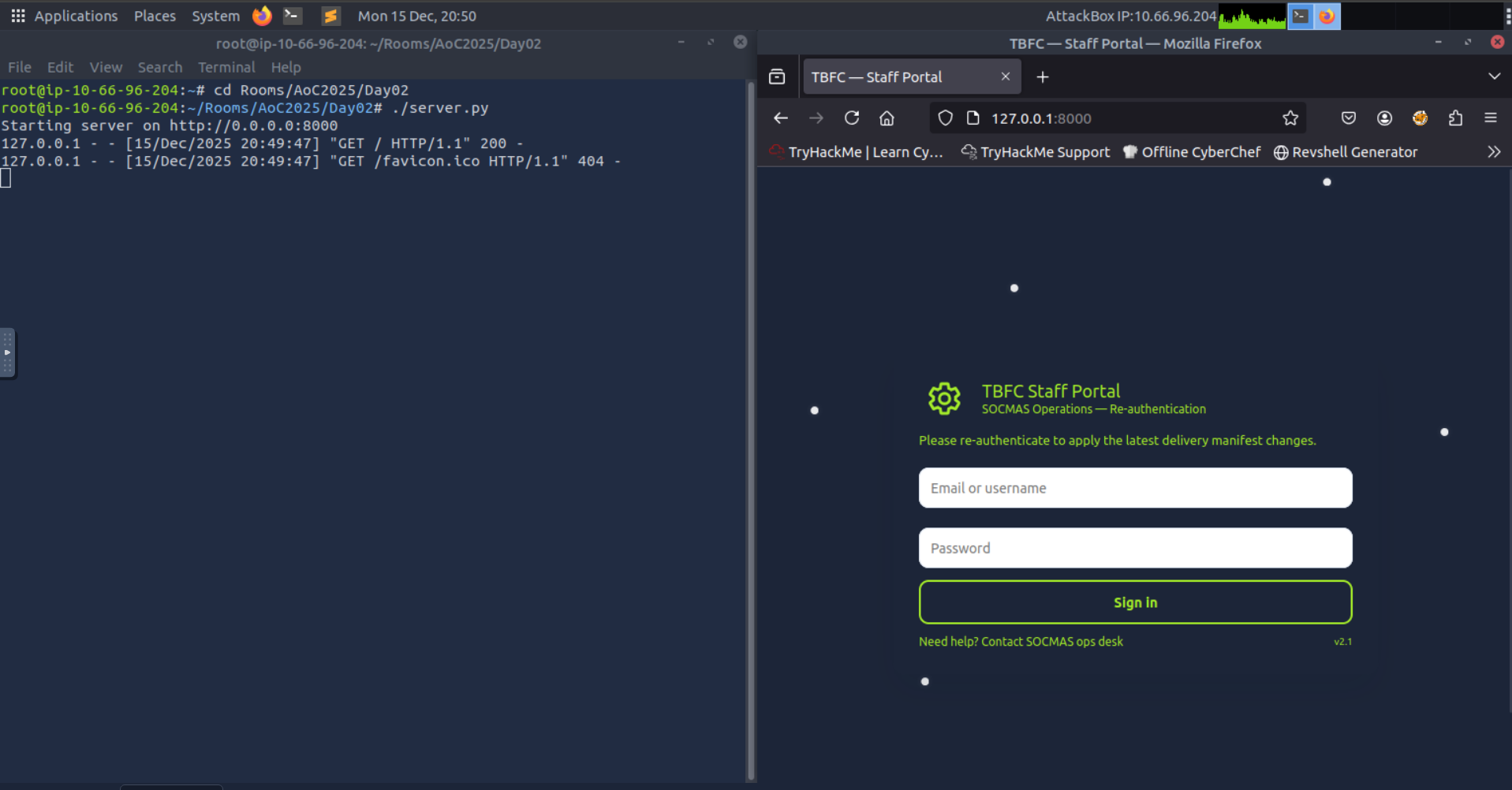
As shown above the script was correctly listening on port 8000 and the webpage was visible so it was now time to send out the link via email. To do so we will use the Social-Engineer Toolkit, an open source tool designed for this, which we can launch with the setoolkit command.
There are many options available in this tool kit but for the purpose of this challenge we only need to use the Email attack single email address, which we can reach by selecting the following options after launching the tool: 1,5,1. With that specific tool selected it was now time to set the correct parameters for the tool:
- Send email to:
factory@wareville.thm - How to deliver: 2 (Use your own server or open relay)
- From address:
updates@flyingdeer.thm - From name:
Flying Deer - Username for open-relay: (leave blank, press Enter)
- Password for open-relay: (leave blank, press Enter)
- SMTP email server address:
10.66.137.14 - Port number: (leave default 25, press Enter)
- Flag as high priority:
no - Attach a file:
n - Attach inline file:
n - Subject: Something convincing like
Shipping Schedule Changes - Format:
p(plaintext) - Body: Create a convincing message that includes the link to your fake login page
When you’re all set the console should look something like this:
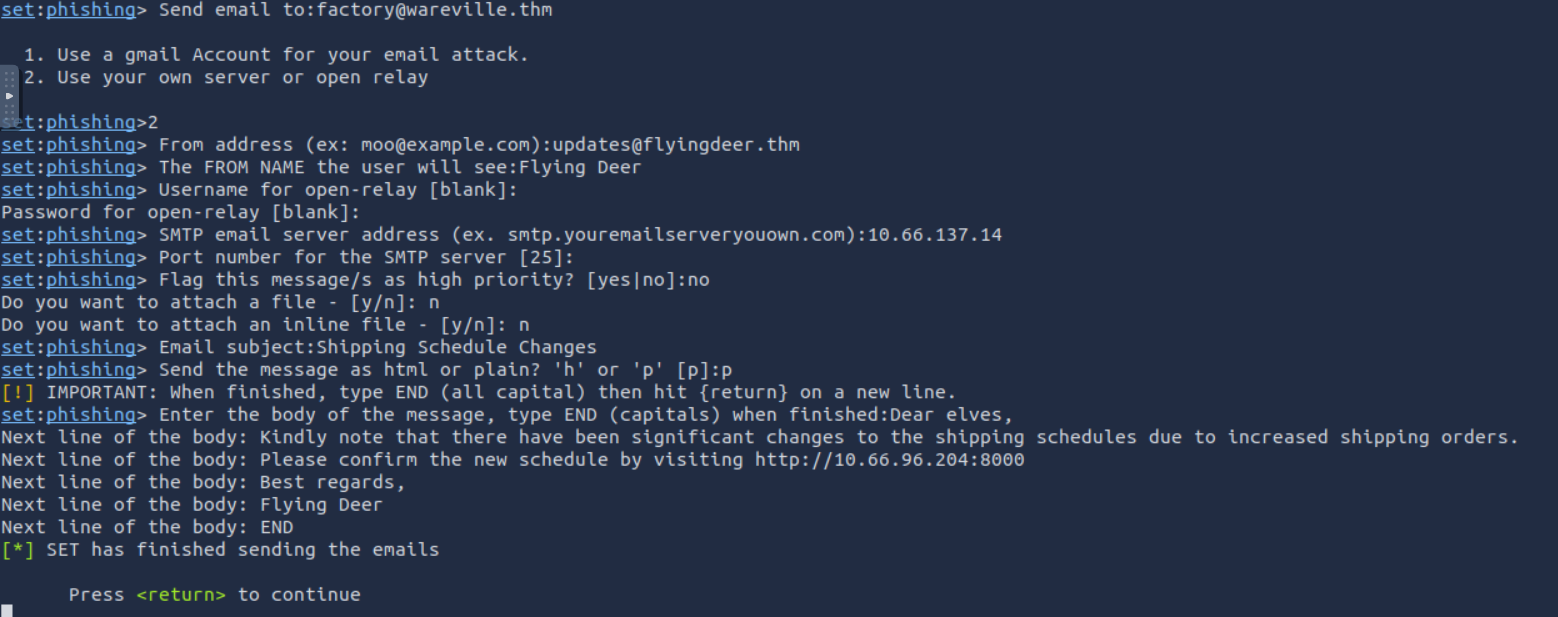
After a few moments we can see that the email worked by looking back at the script, which has now harvested credentials.
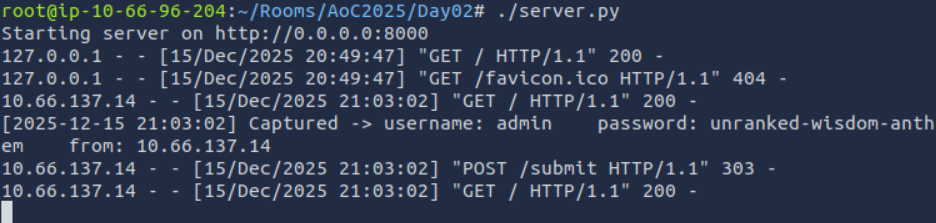
As we can see, we managed to harvest the username admin and the password unranked-wisdom-anthem
ANSWER: unranked-wisdom-anthem
Try to access the mailbox of the factory user to see if the previously harvested admin password has been reused on the email portal. What is the total number of toys expected for delivery?
With an admin password in hand we could now test to see if there was credential reuse on the system. By navigating over to http://10.66.137.14 (YOUR VICTIM MACHINE IP) we tested it with the username factory. The password works, and we are able to see the factory account’s email account where we can see the malicious phishing email we previously sent as well as production and shipping request with the information we need to finish the challenge.
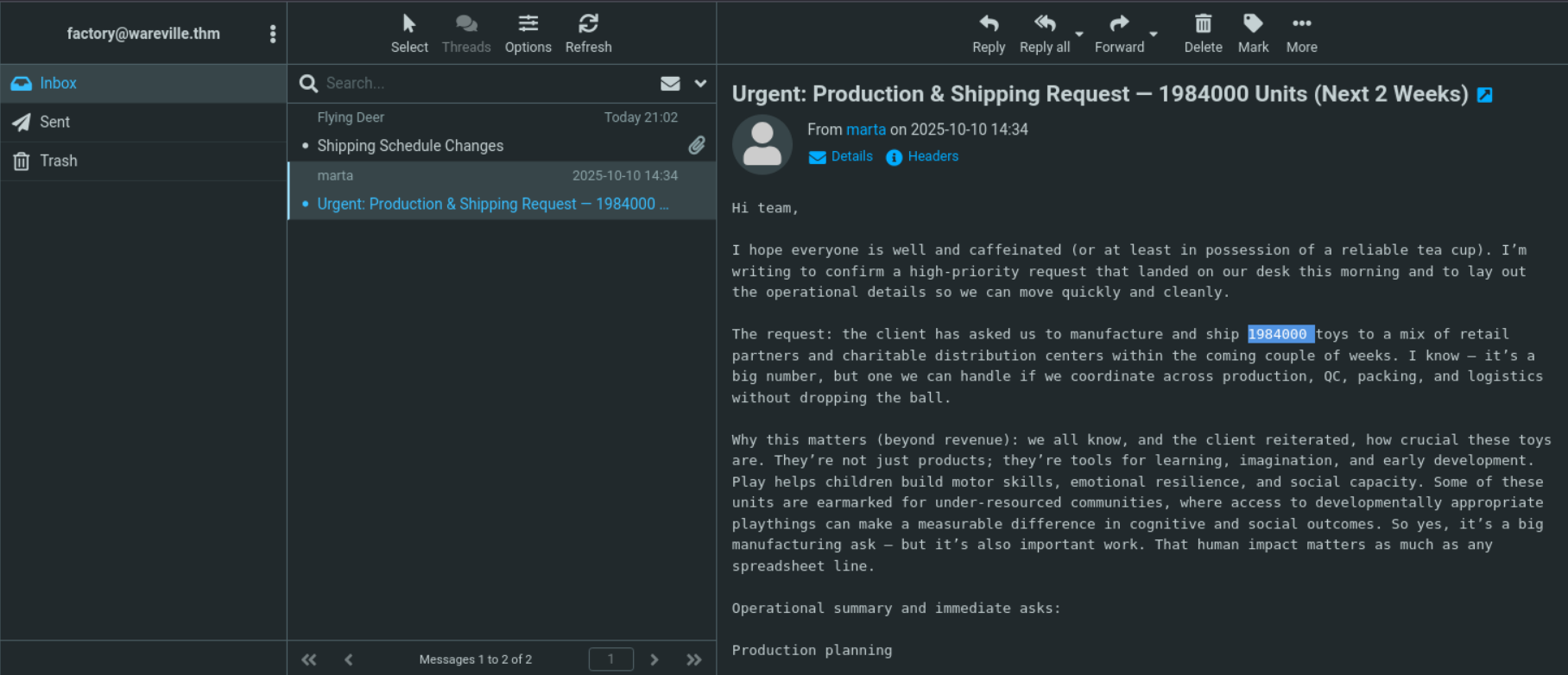
Answer: 1984000